
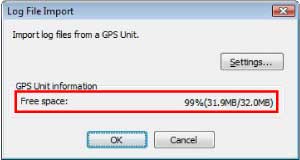
- The window shown above is displayed only when the GPS Unit is connected to a computer.
- The free space amount displayed on this window is an approximate value that is provided as a guide.
Importing GPS log files
Checking available storage space for GPS log files that can be recorded on your GPS Unit
You can check the available storage space on the Log File Import window.
Click [Log File List] on the main window and then click [Import].
Click [Log File List] on the main window and then click [Import].
Tip
Note
The value indicated on this window is the free space that is available for recording in the GPS Unit. It is not the remaining battery power.
Copyright 2008 Sony Corporation