Managing GPS log files

Checking imported GPS log files on the map
When you import GPS log files to your computer, the tracks recorded by the GPS log will appear on the map of the main window. The starting point ( ) and ending point (
 ) will be displayed on the tracks.
) and ending point () will be displayed on the tracks.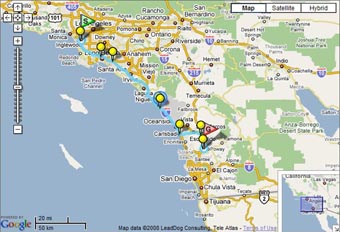
Note
If your computer is not connected to the Internet, you cannot display the map in the map display box of the screen.
Tip
When there is an image corresponding to the GPS log tracks in the image file list, these tracks are always displayed on the map. If no image file is added, up to 5 most recent tracks from the imported GPS logs will be displayed.
Copyright 2008 Sony Corporation