Managing GPS log files

Adding a GPS log file
You can add a GPS log file that has been already saved in your computer.
Follow the steps below to add the GPS log file.
Follow the steps below to add the GPS log file.
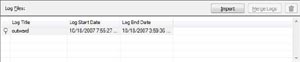
Click [Log File List] to display the log file list.
|
|
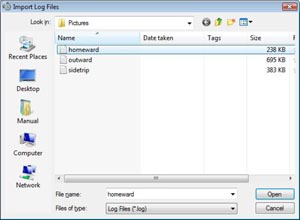
Click [Import] to display the Import Log Files window.
Tip
When the GPS Unit is connected to your computer, the Log File Import window will appear. For more information about the procedure for importing GPS log files from the GPS Unit, refer to the “GPS Image Tracker Manual.”
|
|
Select a GPS log file to be imported and click [Open].
The selected GPS log file will be displayed in the log file list. 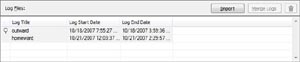
|
To remove a GPS log file
Follow the steps below.
|
Click [Log File List] to display the log file list.
|
|
| Select a GPS log file to be removed and click [
 ]. ].The log file removal confirmation window will appear. |
|
|
Click [OK].
The selected log file is removed from the log file list.
|
Tip
When you want to delete a GPS log file from your computer, select the [Also send it to the Recycle Bin] checkbox on the log file removal confirmation window and then click [OK].
Copyright 2008 Sony Corporation